

With Smappen, you can draw isochrones (travel-time areas) and isodistances for free, in just a few clicks. An isochrone shows everything you can reach from a starting point within a given time — by car, bike, on foot, by truck or by public transit. Unlike a simple radius circle, it reflects the real road network and transport options, which is why it’s widely used for market studies, site selection and delivery-area analysis.
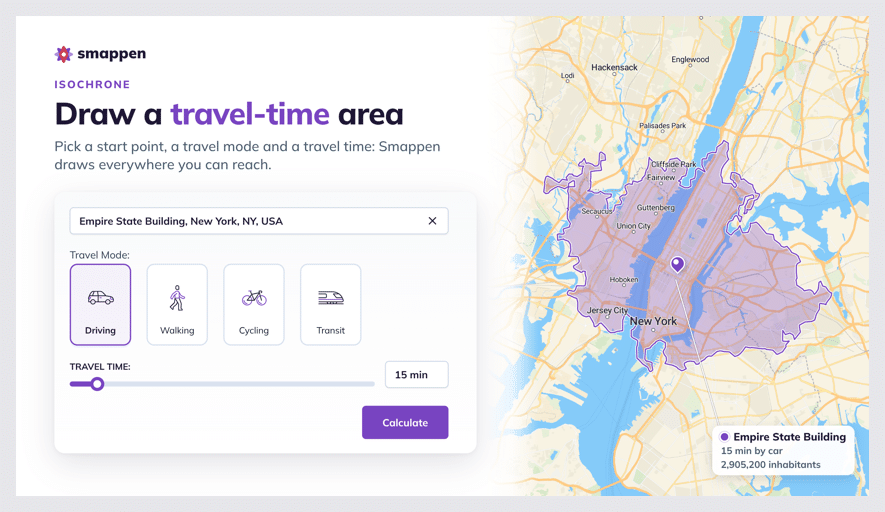
How to draw an isochrone #
- Click “Create a new area.”
- Set your starting point: type an address, a city or GPS coordinates (latitude, longitude), or right-click on the map and choose “Starting address.”
- Select the area type “Time” and choose a travel mode: driving, cycling, walking, truck or public transit.
- Set the travel time with the purple slider, or type it in (up to 12 hours).
- Click “Calculate.” Your isochrone appears on the map.
Available travel modes #
- Driving — smooth traffic conditions
- Cycling — average speed 15 km/h
- Walking — average speed 5 km/h
- Public transit — based on real timetables of the networks covered; available in all countries (in France, all networks except TGV). See the list of supported transport networks.
- Truck (3.5 t / width 2.2 m / height 4 m) — France only, smooth traffic conditions
How travel times are calculated #
The calculation takes into account:
- Speed limits and road types (city streets, country roads, highways)
- The travel mode you selected
- Smooth traffic conditions, so results are consistent and repeatable at any time of day
- For public transit, the timetables of the covered networks
Smappen relies on geographic information systems (GIS) and travel-time data to generate these areas, so you get a realistic picture of how far customers can actually reach you — rather than a simple circle drawn around a point.
To go further: