

Feature available in: ALL PLANS
The Satellite view swaps the standard map for high-resolution aerial imagery, so you can see buildings, roads, and infrastructure as they actually are on the ground. Use it to scout a territory, evaluate a location, or present a finalized zone with the visual context of what’s really there.
You can keep the Satellite view on while drawing a new zone, editing an existing one, or exploring your map.
How to display the Satellite view
- Click the “Layers” button in the bottom-left corner of your map.
- Select “Satellite” from the four options (Default · Heatmap · Satellite · Boundaries).
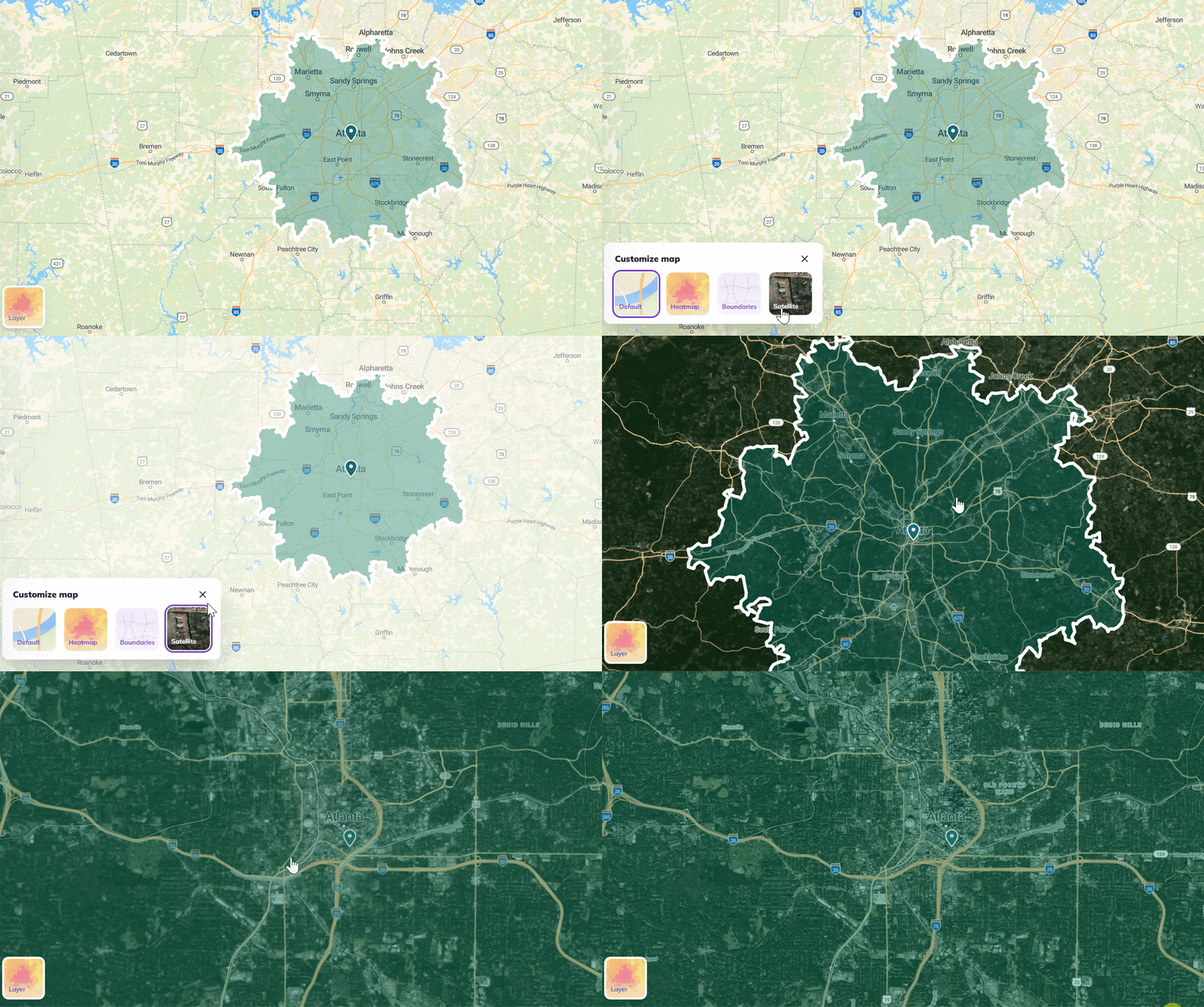
The map switches immediately to aerial imagery: buildings, streets, vegetation, and infrastructure become visible as they exist in reality.
How to hide the Satellite view
Click on the “Layers” buttons and select Default to return to the standard map view.
Satellite imagery is sourced from MapTiler and updated regularly.