

Smappen allows you to easily modify your areas. You can:
– Increase or reduce the size of your area
– Change the area type, for example, converting a time area into a territory area
Modify an existing area:
To do this, go to the area-creation panel (on the left):
– Select the area you want to modify.
– Click the three dots “…”
– Choose “Edit area”
The area editing menu opens up and allows you to:
– Edit the starting address
– Modify the parameters of your area (e.g., 10 minutes by car, 100 miles by truck…)
– Change the type of area (in terms of travel time, distance, or convert into territory area) and its parameters.
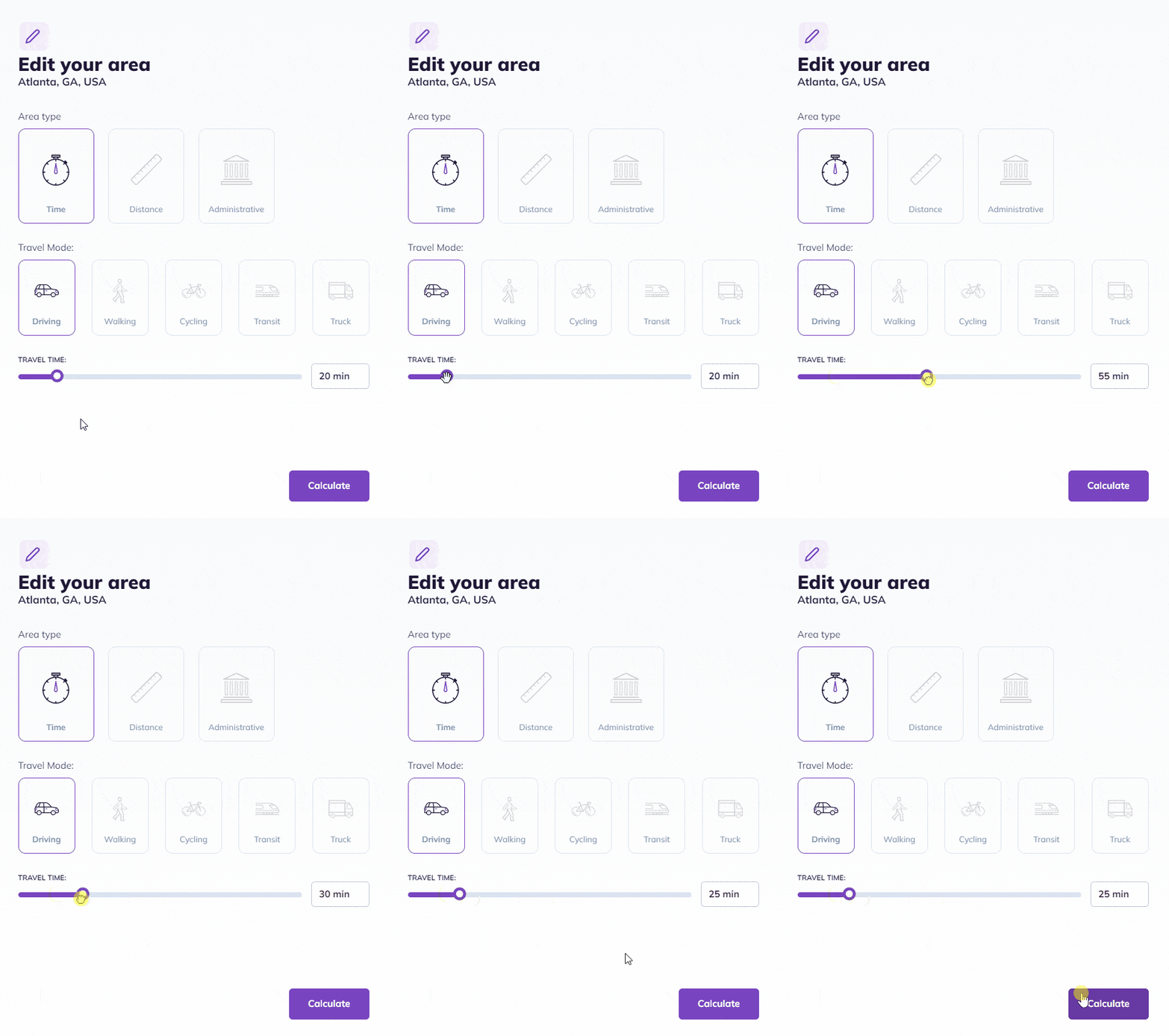
Modify a time or distance area:
– Adjust the slider to increase or decrease the travel time/distance
– Click on “Calculate”
Modify a territory area:
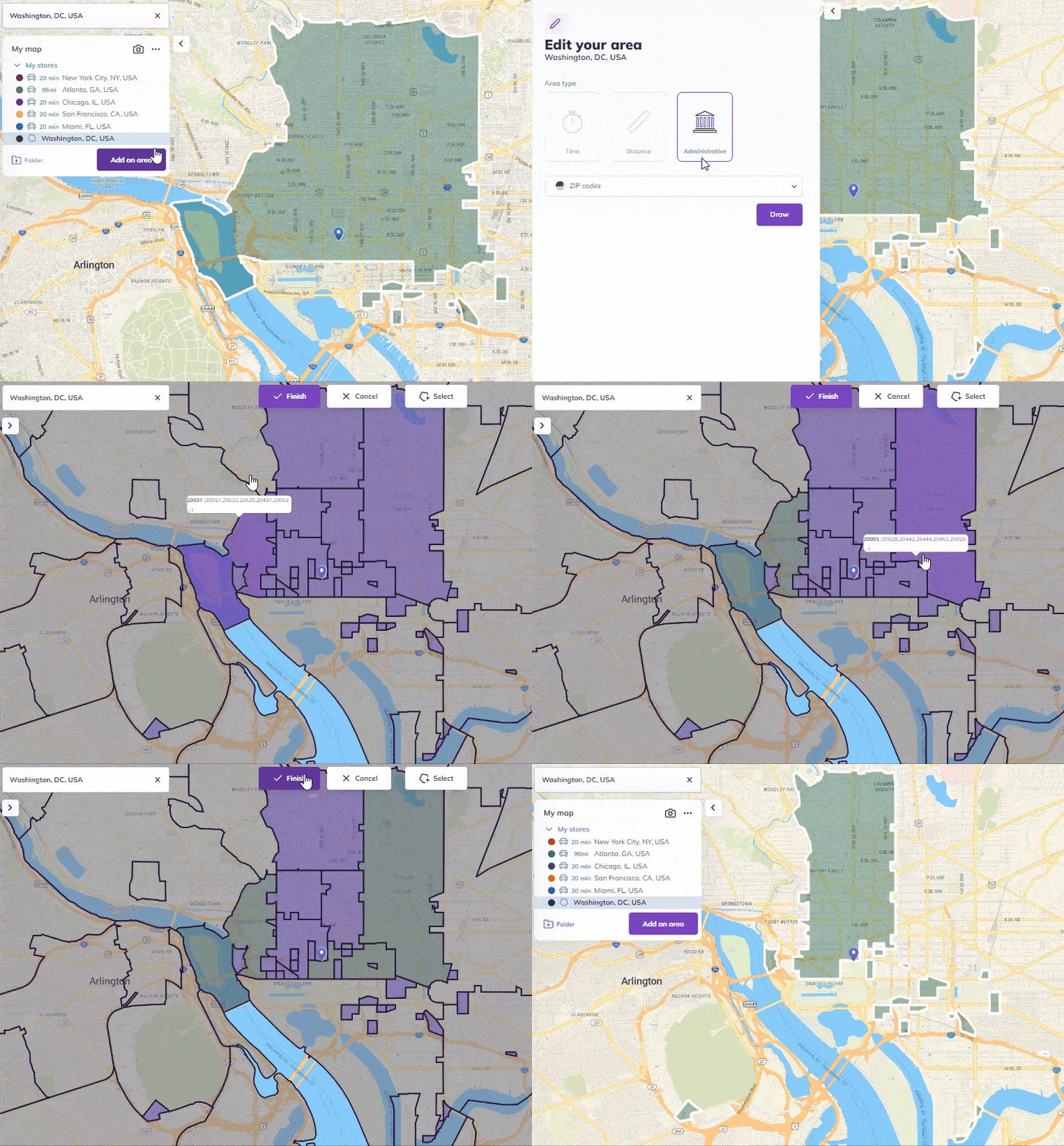
This allows you to add or remove ZIP codes to your area
– Pick the territory area
– Click on “Draw”
– Gridlines will appear on the map. Your current territory area is pre-selected in purple
– Easily add or remove some zip codes within the area
– Click on “Finish” to validate your new area
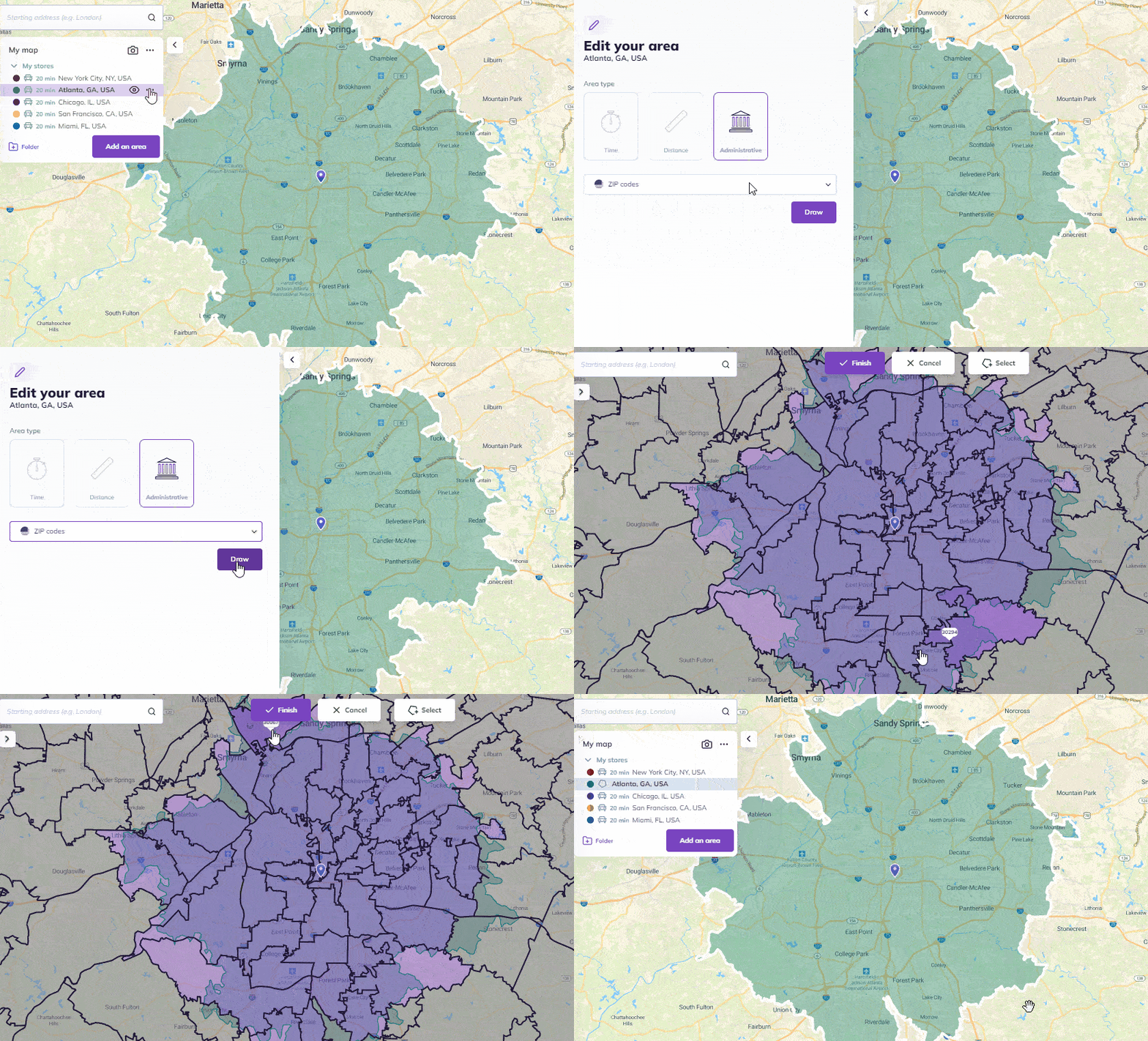
Convert a time/distance area to a territory area:
– Select the time/distance area you want to convert, click on the three dots “…” and click on “edit area”
– Pick the territory area type and then choose what boundaries you want in the drop-down menu
– Click on “Draw”
– Gridlines will appear. The territory area is pre-selected in purple on top of your initial area
– Easily add or remove some ZIP codes within this area
– Click on “Finish”
Edit the starting address
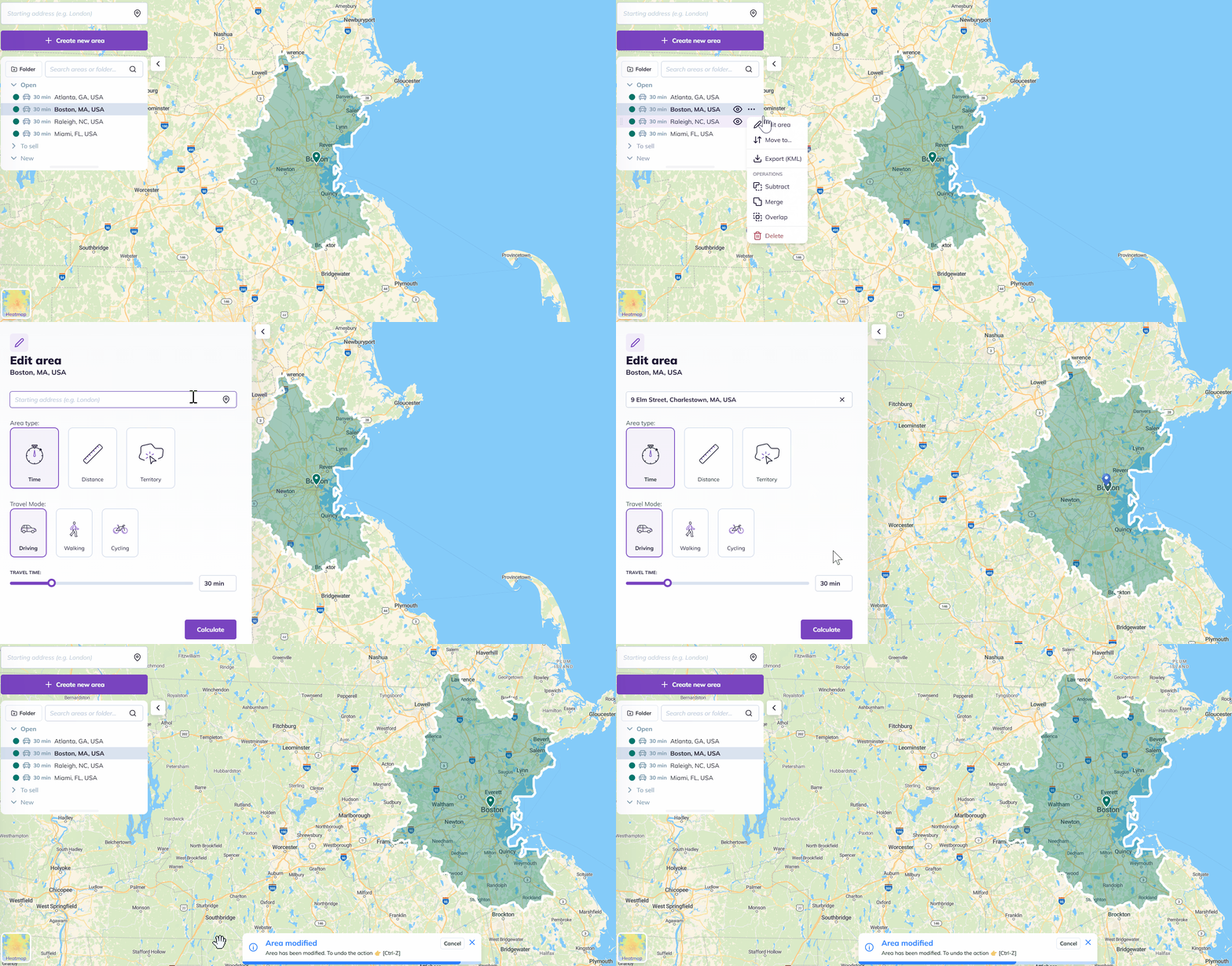
To edit the starting address of your area:
– Select the area you want to update
– Click the three dots “…” and select “Edit area”
– Replace the old starting address with the new one
– Click “Calculate”. The starting address will update automatically, and the drive/distance areas will be recalculated
FAQ
🟢 Can I edit multiple zones at once?
No, area must be edited one by one, but the process is designed to be quick and seamless so you can move from one to the next easily.
🟢 Can I undo a change?
Yes, simply use the purple arrows located at the top of the map.
🟢 Can I convert an area into a “Manual area”?
No, converting an existing area into a manual zone is currently not supported.
🟢 How are ZIP codes selected when converting a time/distance area into a territory area?
When you convert a time or distance area into a territory area, the system automatically selects all ZIP codes that have over 50% of their surface area within the time area. You can then manually fine-tune the area by adding or removing specific territories as needed.
To go further: