To merge two maps on smappen, simply export the areas from your first map and import them into the second.
Step 1: Export areas from Map 1 in KML format
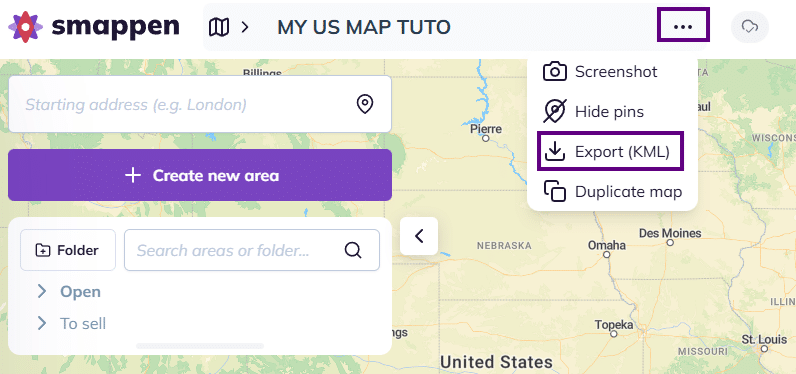
- Click the three dots next to the map title at the top of your screen, then select “Export (KML)“:
- A KML file will be downloaded on your computer
Step 2: Import the areas into Map 2
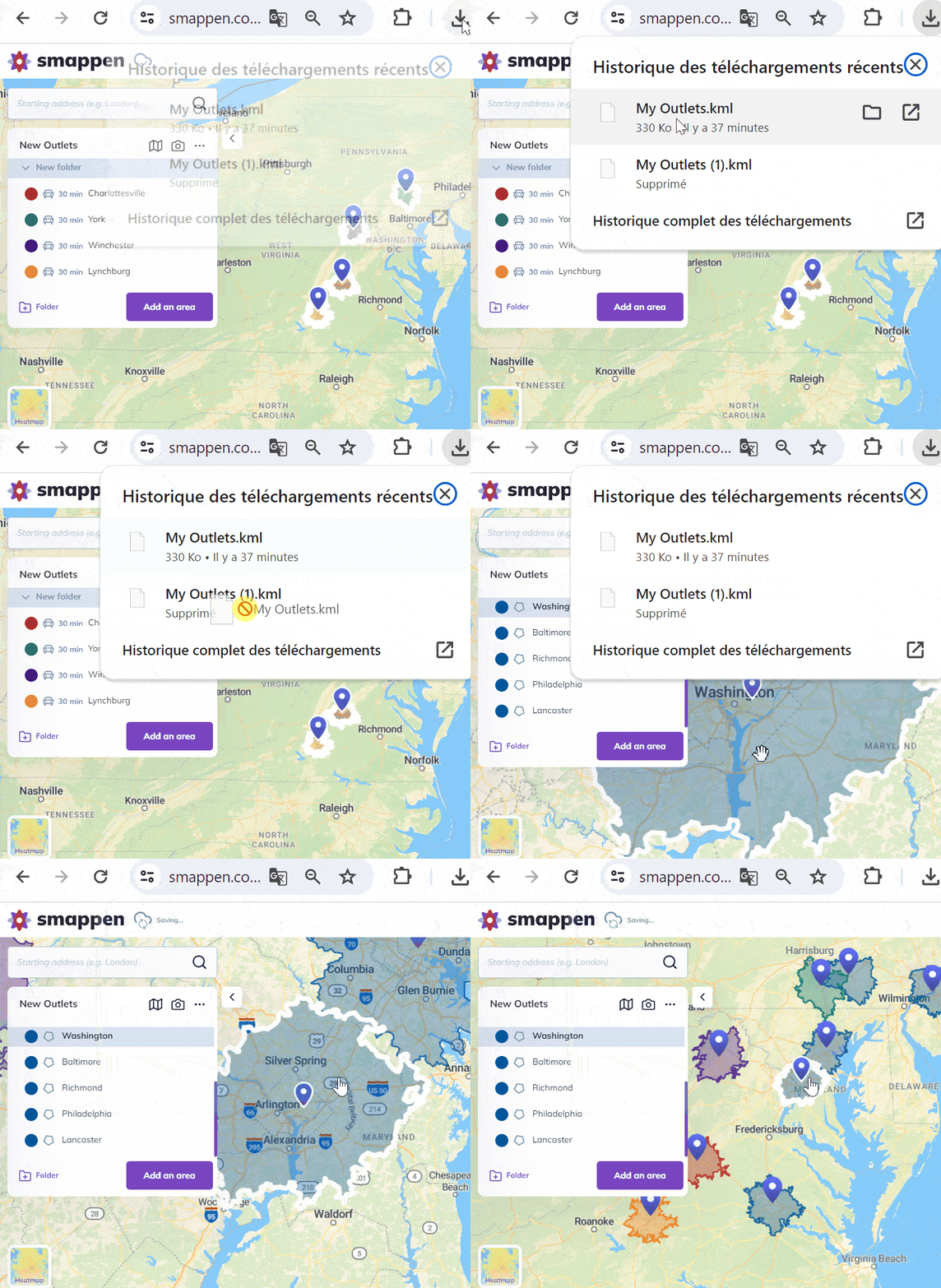
Open Map 2 and simply drag and drop the KML file directly onto the map.
Your areas will be added automatically.