

Feature available in: PRO and ADVANCED PLANS
(US, UK, Canada, Australia, France, and Belgium only)What is Smappen AI?
Smappen AI is your intelligent assistant, built directly into your Smappen account. It helps you create territories, analyze your network, and make better location decisions using the data available on your maps.
Whether you’re expanding your network, evaluating opportunities, or analyzing your existing locations, Smappen AI helps you work faster and make more informed decisions.
Smappen IA is available on the analytics pannel on the right end of your screen.
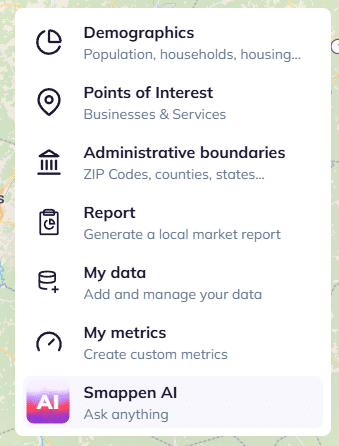
How to use Smappen AI:
To use Smappen IA, simply ask your question in the chatbox, you can also use the built-in examples.
Example use cases:
1. Design your network:
Expanding into a new market? Describe what makes a good territory for your business, from households to income to drive time, and Smappen AI will create it for you.
Example prompt: Build an area of 100,000 households around Dallas
2. Find your next location:
Not sure where to open next? Smappen AI analyzes your territory, compares opportunities, and explains its recommendations so you can make decisions with confidence.
Example prompt: I run a chain of laundromats. Where should I open my next location in Dallas and why?
3. Analyze your network .
Smappen AI can analyze your existing network to identify common characteristics among your best-performing locations and help you discover similar opportunities.
Example prompt: Show me what my best-performing locations have in common, then find similar areas.
Best practices:
Be as specific as possible: the more details you provide, the better the results.
❌ “Create an area in Los Angeles.”
✅ “Create a 15-minute drive-time area around Manhattan Beach Boulevard, Los Angeles, USA.”
Provide context about your business: Tell Smappen AI who you are and what your business does, the more context you provide, the more relevant the recommendations will be.
“I’m the owner of a fitness club franchise. Where should I open my next club, and why?”*
Prepare your map first: Smappen AI analyzes the content currently displayed on your map, including areas, folders, points of interest, and metrics.
Iterate through the conversation: Smappen AI works best as a conversation.
Start with a simple request, review the results, then refine your instructions step by step. This often produces better results than providing every detail in a single prompt.
Be careful when deleting items: Smappen AI always asks for confirmation before deleting areas or folders. However, once an item has been deleted, the action cannot be undone. Make sure you want to proceed before confirming a deletion.
FAQ:
🟢Can Smappen AI teach me how to use the app?
Smappen AI is built to execute tasks and analyze map data for you, rather than act as a software tutorial. If you need step-by-step guidance on how to use Smappen’s features, we highly recommend messaging us directly via the in-app chat.

🟢I have a specific question for the support team. Can I ask Smappen AI?
Our support team does not have access to your chats with Smappen AI. If you need to reach a real person on our team, please use the in-app chat so we can jump in and help you directly!