

To duplicate a map, you have two possibilities :
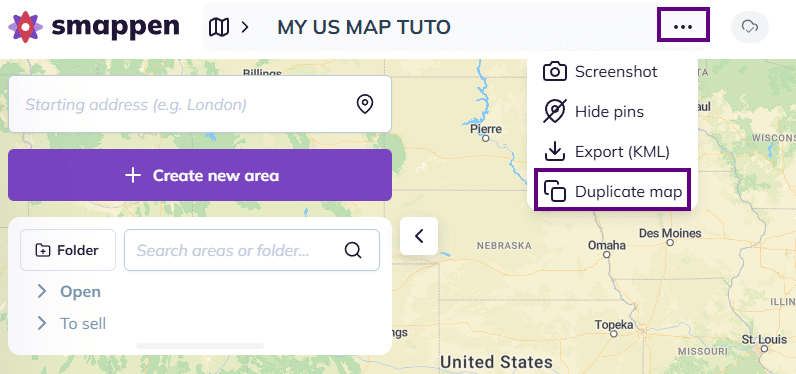
1 – Click the three dots next to the map title at the top of your screen, then select “Duplicate map“:
The duplicated map will open automatically.
2 – Open the maps management panel by clicking the map icon at the top of your screen.
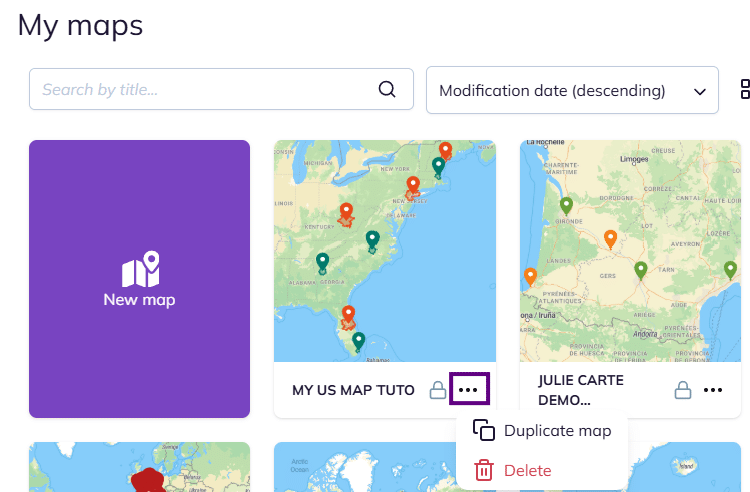
Click the three dots icon under the map you want to copy, then select “Duplicate map“:
The duplicated map opens automatically.
To go further: