

You can delete an area in two ways:
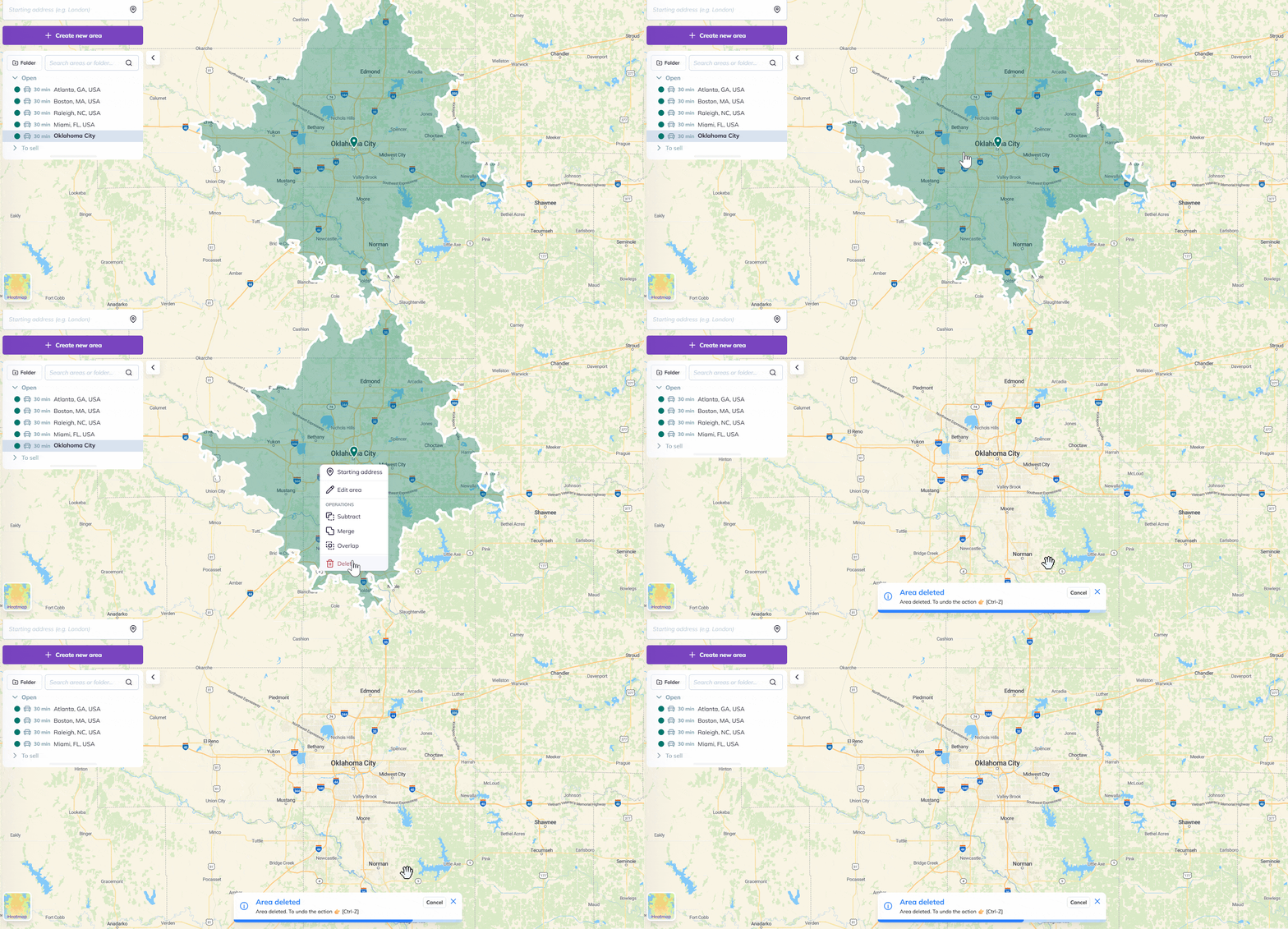
1. Directly from the map, right click on your area and select “Delete”.
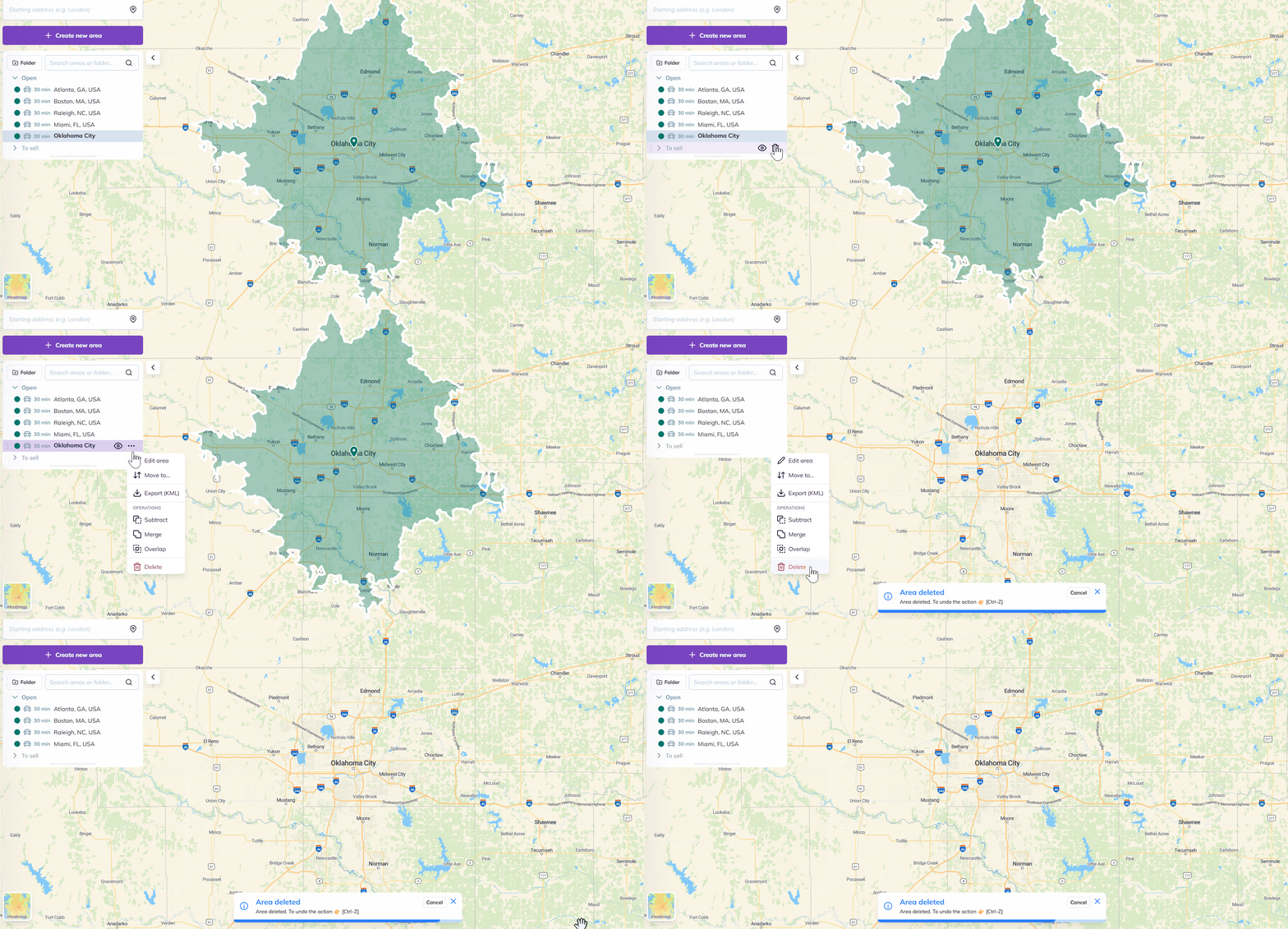
2. Go to the area-management panel, and click on the option button (three dots icon) on the right of one of the listed areas. Then, click on “Delete”:
To go further: