
There are several situations where you might need to create multiple areas at once on your Smappen maps.
For example:
– If you want to automatically create a 15-min drive time area around all your existing locations
– If you already have defined areas based on postcode/ zip code/ counties and want to display them all on your map.
With Smappen, bulk area creation is possible through a feature available in the Advanced plan: The Generate Tool.
How can I access the Generate tool? #
If your regularly need to create areas in bulk: we recommend switching to the Advanced Plan and reaching out to our team for a quick onboarding session on how to use Generate. Learn more about our pricing here.
If it’s a one-off need: our team can assist you directly and help create the areas for you.
How to use the Generate feature? #
Once activated on your account, the feature is available under: “My Profile” > “Advanced Features” > “Generate”
Use the sample template provided below to generate your areas automatically 👇
Prepare your file #
- 1 Excel file = 1 new map.
- 1 Row = 1 specific area.
| Column | Role | Configuration |
| LAYER | Organize your map by folder | Enter a folder name for each area. If you don’t need specific folders, use the same name for all rows. |
| NAME | Area Name | Enter the desired name for the area. |
| ADDRESS | Starting Point | Enter a full address (e.g., 10 Downing St, London, UK), a city and country, or GPS coordinates. Leave blank if no starting point is needed. |
| MODE | Type of Zone | Choose one: • Territory : US ZIP codes, GB Sectors… • Time: isochrone • Distance: isodistance • Radius (as the crow flies): circle |
| TRANSPORT | Transport Mode | For isochrones or isodistances only: Choose : – Car – Bike – Truck – Walk Leave blank for admin areas. |
| DISTANCE | Distance (Meters) | For isodistance or circles only: Enter the distance in meters (e.g., for 10km, enter 10000).Leave blank for other areas. |
| DURATION | Duration (Seconds) | For isochrones only: Enter the time in seconds (e.g., for 10 min, enter 600).Leave blank for other areas. |
| CODE | Admin Codes | For territory areas only: Enter the specific codes separated by a comma (e.g., “03215, 52537”). Leave blank for other areas. |
| COLOR | Area Color | Enter the official Smappen hex color code (available here). |
Importing your file #
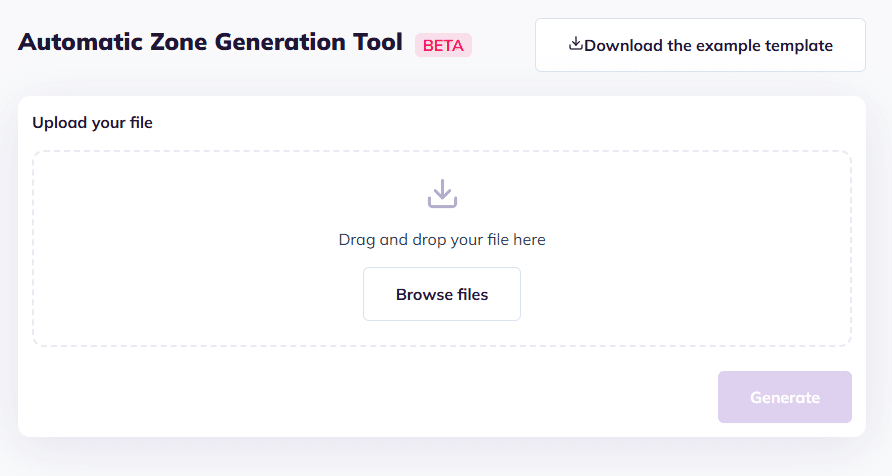
Once your template is complete, upload it via the Generate tool. Click “Generate”.
Your map will be automatically created in a few minutes.
Want to learn more and get started with Generate? Feel free to reach out at [email protected]
To go further: