

Why import administrative areas? #
In some cases, it’s essential to create areas based on a specific administrative structure (cities, regions, countries, etc.). This allows you to:
- Compare your catchment areas with a reference administrative area (for example, regions)
- Build your catchment areas using an administrative boundary (departments, postal codes, districts, municipalities, etc.)
- Visualize existing administrative boundaries alongside your catchment areas
Some administrative boundaries are already available directly in the Smappen app.
List of administrative boundaries available in Smappen: #
| Country | Available administrative boundaries |
|---|---|
| United Kingdom | – Postcode districts – Postcode sectors – Postcodes (Northern Ireland) |
| United States | – States – Counties – ZIP codes |
| Canada | – Postal codes – Municipalities – Provinces / Territories |
| France | – French departments – Postcodes – Communes – Iris |
| Spain | – Autonomous communities – Provinces – Cities |
| Belgium | – Communes |
You can add these administrative boundaries to your map by clicking “Add an area” > “Administrative area.”
👉 See our tutorial: “Creating administrative areas”
Download administrative boundaries: #
You can often find administrative boundary files in KML format by searching online using keywords such as “KML”, combined with the type of area and the country you’re looking for.
You can also explore the Huwise (formerly Opendatasoft) website, which provides a large catalog of administrative boundary datasets.
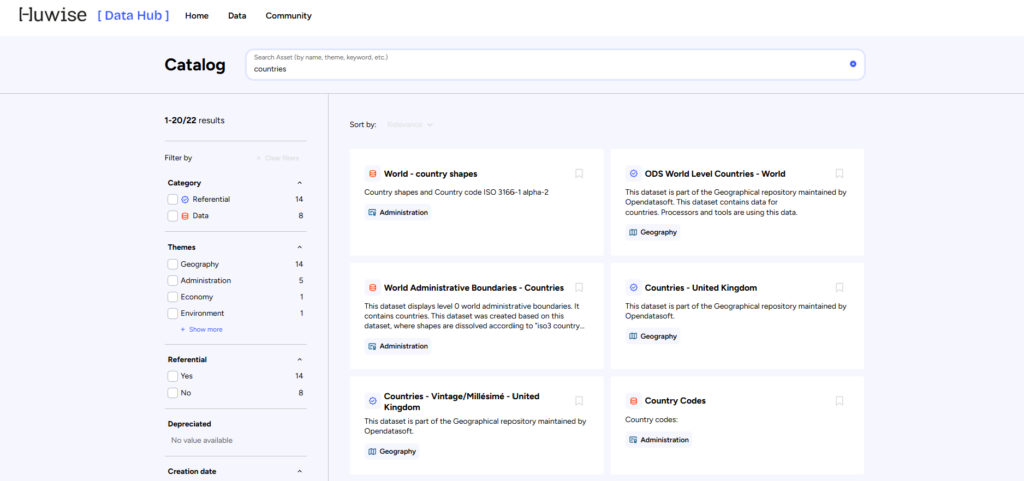
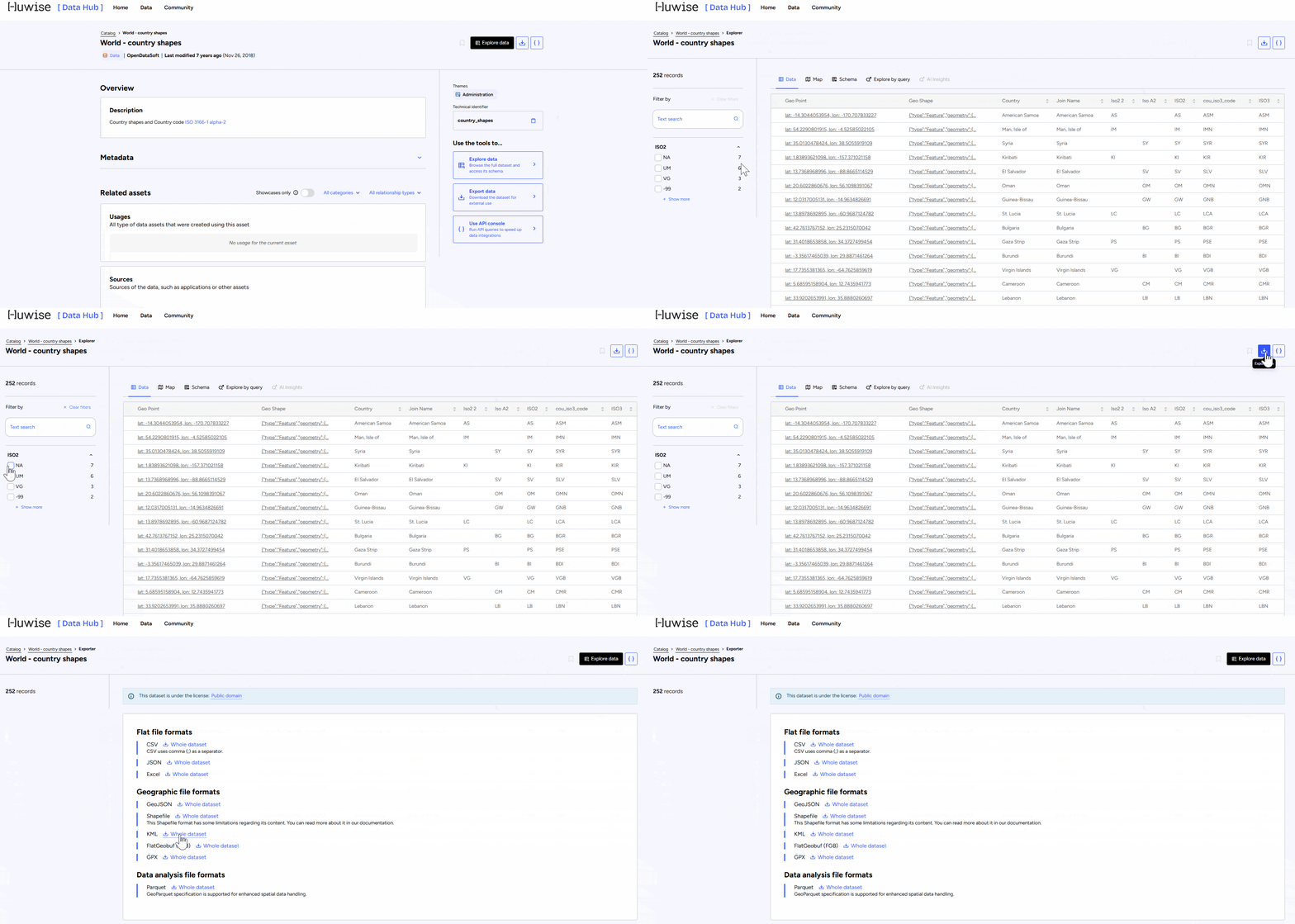
To download the data:
- Select the dataset you’re interested in
- Click on “Explore Data”
- Apply filters to keep only the territories you want to export
- Click “Export data” → “KML”
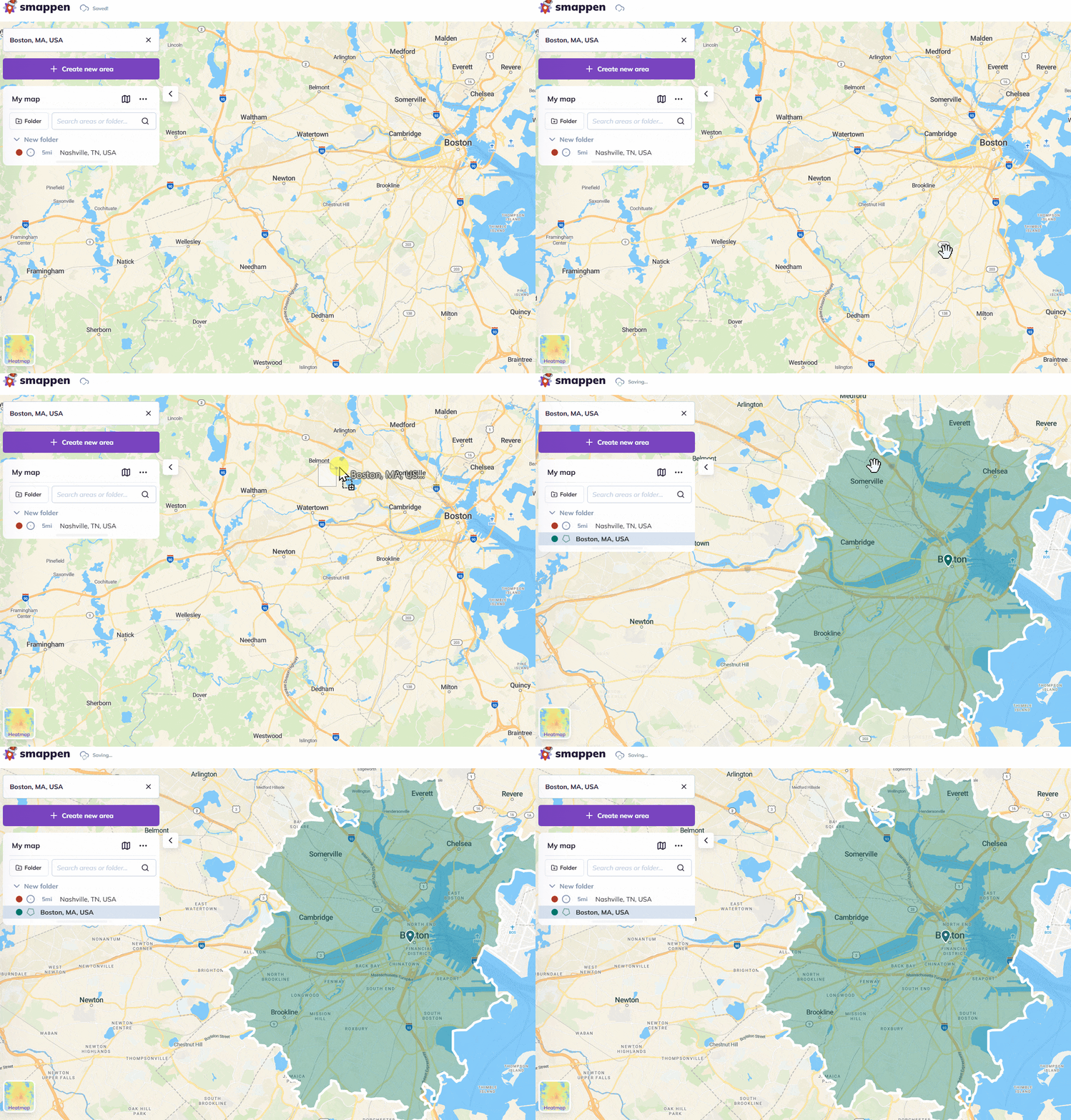
Import your area boundaries
Create a new folder for your areas and import the KML file containing the areas’ data by dragging the file and dropping it onto the map.
To go further: