
Feature available in: ESSENTIAL, PRO and ADVANCED PLANS
Whether you need to use your smappen areas in another tool or simply want to back them up to your hard drive, the “Export Map” function makes it easy.
Smappen allows you to export your entire map into a single KML file.
To do this click the three dots next to the map title at the top of your screen, then select “Export (KML)“:
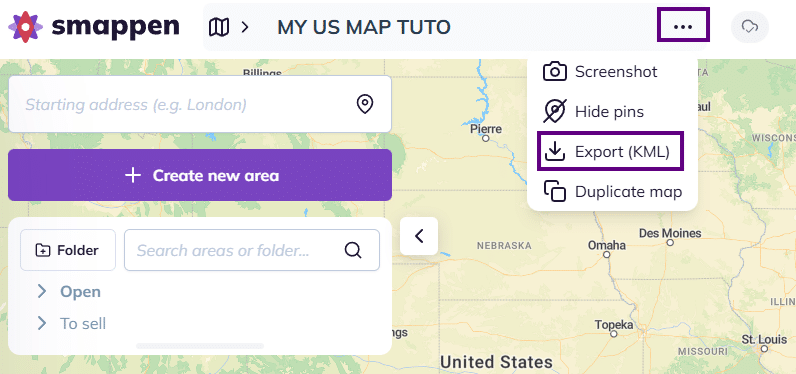
Your browser will then download the KML file to your computer’s hard drive.
To go further: