

Drive Time analysis
Drive Time Map
Visualize travel accessibility.
Optimize locations, territories, logistics and more.
>> Get demographics report by a chosen radius
>> Search points of interest
>> Import your data to organize your territories
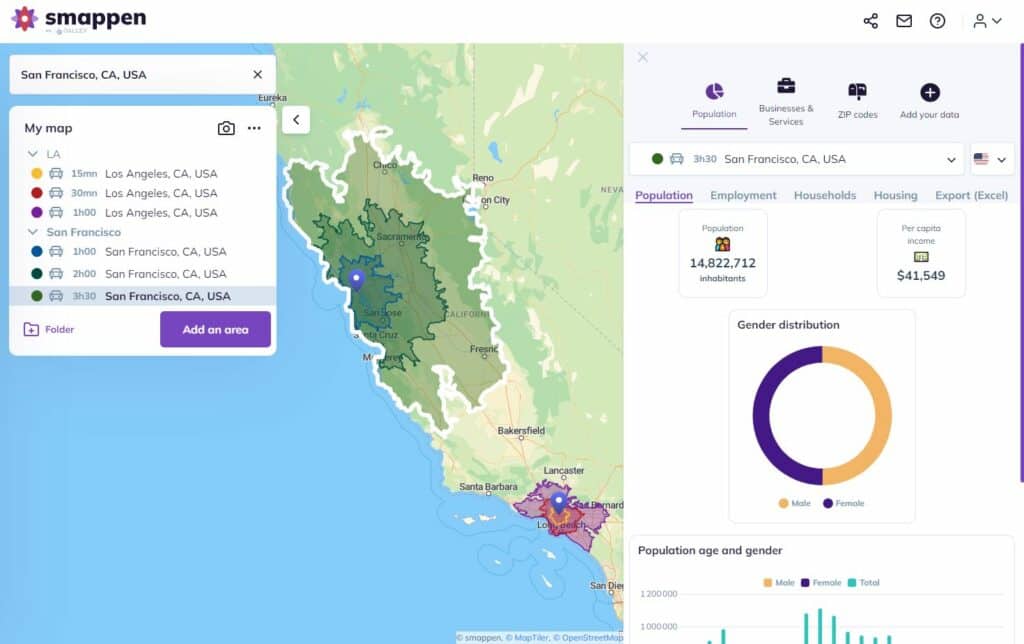





What are drive time maps?
In today’s competitive market, simply knowing how far isn’t enough — you need to know how long. A drive-time map shows the true area reachable in a given travel time (e.g. 10, 15, 20 minutes) by car, bike, foot or public transport.
With Smappen’s advanced isochrone engine, you can accurately model travel-time zones and back them up with real data: demographics, points of interest (POIs), exports, CRM integration and more.
Business Benefits at a Glance
Site selection: Choose store locations, service hubs or franchise territories based on real accessibility.
Sales & logistics planning: Optimize routes, allocate territories fairly, reduce wasted travel.
Market expansion & segmentation: Identify under-served zones, compare real reachable catchments. Empowering market analysis.
Customer experience & convenience: Ensure customers or field reps are within realistic reach of your services.
Well, so how do I create a drive time map?
How Smappen’s Drive Time Feature Works
Pick a central location – e.g. an existing store, new site prospect, or field office.
Select travel mode & time threshold – driving, cycling, walking, public transport; 5/10/15/30 min or custom.
Generate the isochrone – the polygon shows the exact reachable area from the center within the selected time.
Enrich with data – overlay demographics, import CRM/custom locations, search for POIs (competitors, schools, stations etc.).
Export & act – download results, link to HubSpot/CRM, segment leads, define territories or optimise logistics.
Iterate – adjust parameters (time, mode, center) to refine strategy and compare options.
Key Features and Functionalities
Multiple travel modes: car, bike, walking and public transport availability.
Custom time thresholds: set your own travel-time windows (no locked presets).
Data overlays: access rich demographic databases and POI libraries (250 M+ references) within your travel zones.
Import your data: upload your own CSV/CRM, map customers/prospects inside the isochrone, segment by status.
Export & share: download zones, reports or share interactive links with teams.
Territory management integration: combine drive-time zones with territory mapping, manual polygons, ring distances, administrative layers (states/ZIP) — all within Smappen.
Practical applications of drive time maps
Drive time maps have a diverse range of practical applications.
Retail & Franchise Network
Explore a proposed store location – generate a 15-minute drive-time zone, check competing POIs, overlay your own customer base, export the zone and build a franchise offering grounded in real accessibility.
Sales Field Team
Assign territories by generating a 20-minute drive-zone around each rep’s office or home, overlay your leads, assess if coverage is balanced, then export and feed into CRM to enable efficient targeting.
Logistics & Delivery
Define 30-minute drive-time zones around your warehouse for same-day delivery capability. Overlay customer density and POIs to optimise delivery schedules and ensure you’re hitting target KPIs.
Healthcare & Public Services
Evaluate if a new clinic is within a 10-minute drive for target demographics. Generate the zone, overlay population demographics (age, income, etc.), and identify underserved areas for strategic placement.
Practical applications of drive time maps
Choose the correct travel mode for your target audience (walking/cycling may be appropriate for urban retail; driving more relevant in suburban/rural).
Use realistic time thresholds — e.g., 10 minutes may be standard for convenience retail; 30 minutes may be acceptable for regional services.
Account for traffic and geography — Urban congestion, topography (hills, water bodies) and data quality impact accuracy.
Regularly update data — Road network changes, new POIs or shifting demographics can affect results.
Segment your results — Don’t just stop at the zone. Overlay your customer/prospect data, analyse density, affinities, competition and potential.
Iterate and compare — Generate multiple isochrones from different sites or modes and compare to pick the optimal strategy.
Demographics report
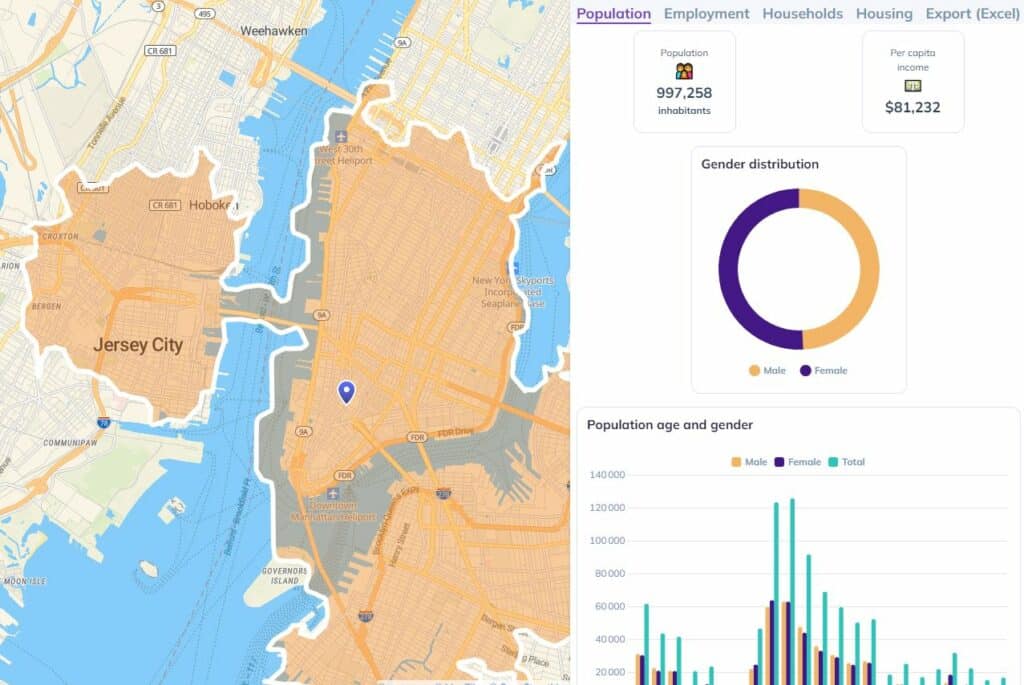
Smappen gives you the exact indicators for each of your areas from the Census database. Start analyze your areas to find the best location
Points of interest
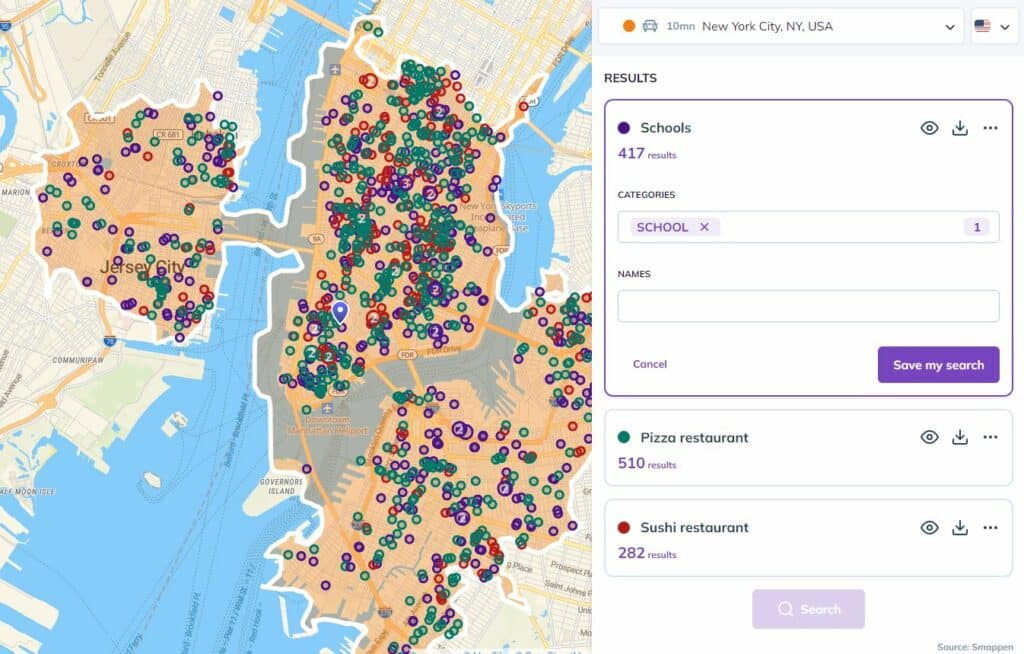
Search within 250 millions of references to spot your competitor, schools, stations and transports and understand the economic tissue
Data import
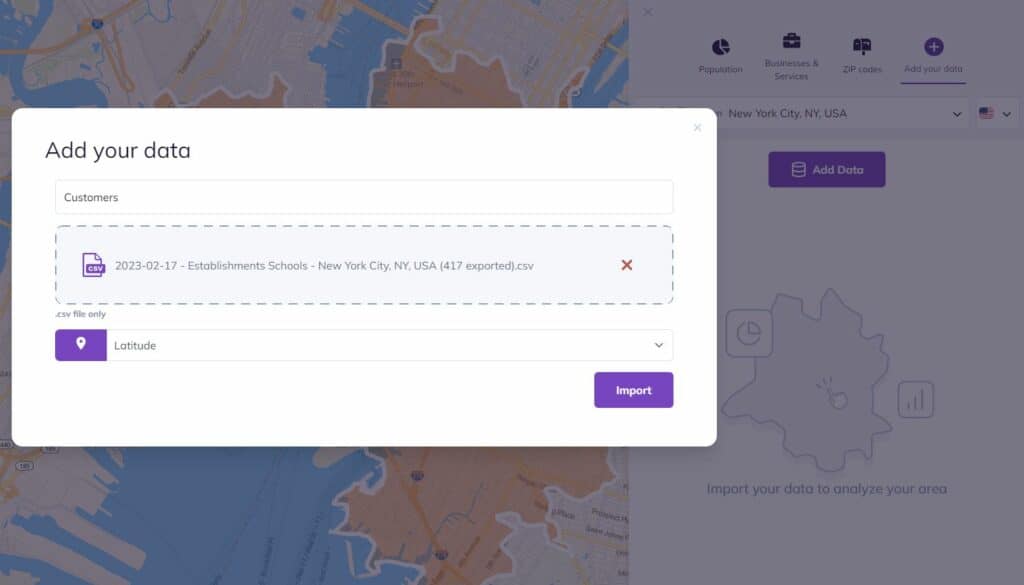
Go further with your analysis and import your own data (CRM, …) to understand your customers’ behavior
Take Action — Start Your Analysis Today
Start leveraging real travel time insights rather than simple distances.
Book a free demo with Smappen to explore how drive-time zones can transform your location, sales and expansion planning.

I have been searching for this software for years! smappen is nothing short of incredible. It is exactly what I needed and produces fantastic results. And the user interface… It is so simple!
I manage 25 territories across the US for medical device sales distribution. Mapping territories for my reps has never been easier. smappen turned me into a hero at the company!

Exceptional and personal training and support. It did exactly what I wanted it to do, with a very high degree of accuracy.
FAQ's - Drive Time Map
What is a drive time map?
A drive time map shows how far you can travel from a specific point within a set time — for example, everything you can reach in 10, 15, or 20 minutes by car. It helps visualize real accessibility instead of just drawing simple distance circles.
How is a drive time map different from a radius map?
A radius map shows distance “as the crow flies”, while a drive time map uses real roads and travel speeds. That means the area shown is much more realistic for business analysis, delivery planning, or franchise territory design.
How are drive time maps calculated?
Drive time areas (also called isochrones) are calculated using road network data and average travel speeds. Smappen’s algorithm finds every point that can be reached within the selected time, then draws a precise polygon to represent that area.
What can I use a drive time map for?
Drive time analysis is widely used for:
Site selection – find the best place for a store or service.
Franchise territory planning – design fair and profitable areas.
Sales coverage optimization – see which customers or leads are within reach.
Logistics and routing – plan efficient routes or delivery zones.
Can I export or share my drive time map?
Yes. In Smappen, you can export your areas, integrate them with your own data (from Excel, CRM, or HubSpot), or share an interactive link with your team.
Start using Smappen now